Setup guide
ETS2 Mirror Settings and FPS: What To Lower First
Fix ETS2 FPS drops caused by mirrors by tuning mirror distance, mirror quality, virtual mirrors, and cabin visibility without driving blind.
UpdatedJul 1, 2026
Read6 min
LevelBeginner
ByETS2Hub
Quick answer
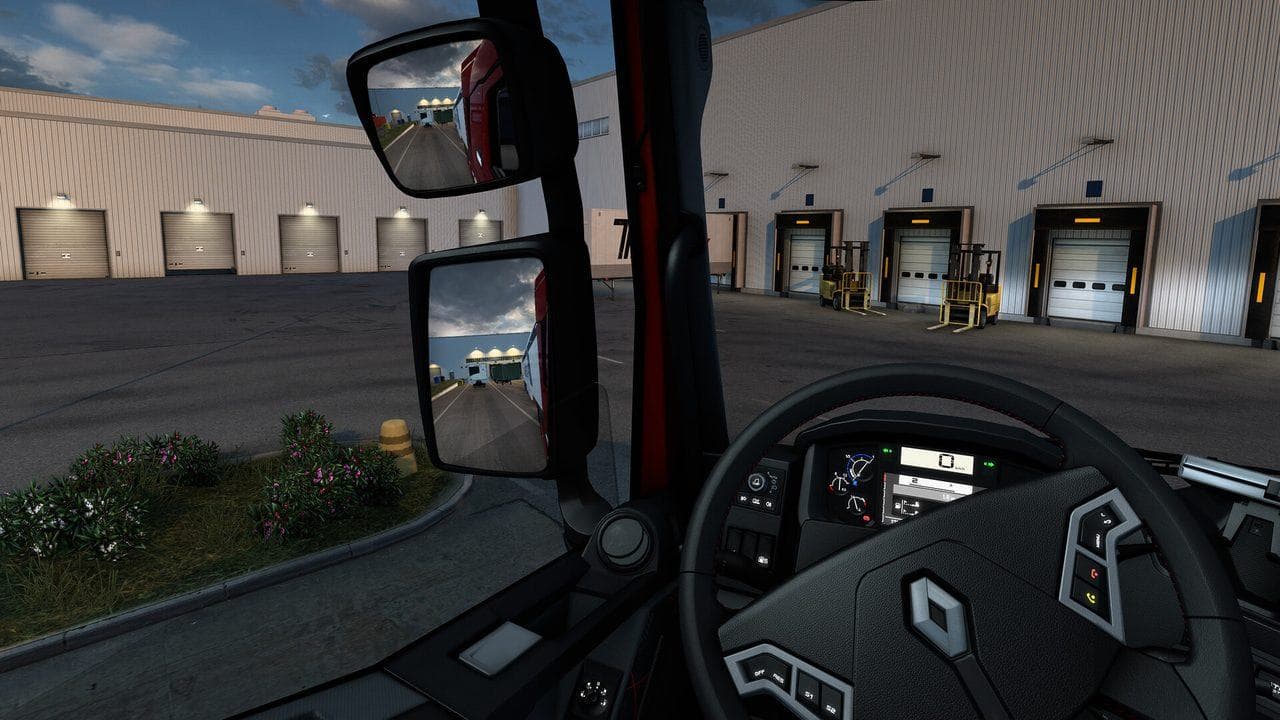
If ETS2 FPS drops when mirrors are visible, lower mirror distance first, then mirror quality, and test virtual mirrors only if they help your view. Keep enough mirror detail to park and change lanes safely. Do not turn mirrors into unreadable smears just to gain a few FPS.
Mirrors are one of the most important ETS2 settings because they affect both safety and performance. Lower them too far and you cannot park or merge. Set them too high and FPS can drop badly in cities and depots.

What To Lower First
| Setting | First action |
|---|---|
| Mirror distance | Lower this first for performance |
| Mirror quality | Lower if distance is not enough |
| Virtual mirrors | Use if cabin mirrors are hard to see, but test FPS |
| FOV and seat position | Adjust for visibility before using extreme graphics cuts |
Mirror distance often gives the clearest performance win.
Test In The Right Places
Mirrors hurt most when the scene behind you is complex. Test in:
- City traffic.
- Fuel stations.
- Garages and delivery yards.
- Rain or night driving.
- Cabin view with both mirrors visible.
Do not test only on an empty motorway.
Do Not Drive Blind
If lowering mirrors makes trailer angle unreadable, you went too far. Mirror settings should still let you:
- See lane changes.
- Watch trailer swing.
- Reverse into delivery spots.
- Notice nearby AI traffic.
If you cannot do those, recover visibility with better seat position or modest virtual mirrors.
Virtual Mirrors
Virtual mirrors can help single-monitor players, but they still cost performance and screen space. Use them when cabin mirrors are impractical, not because they are automatically faster.
Read ETS2 Seat, Mirrors, and FOV Guide if your view is the real problem.
Simple Tuning Path
- Set a repeatable city route.
- Lower mirror distance one step.
- Test parking and lane changes.
- Lower mirror quality if needed.
- Stop when mirrors remain readable.
Stable mirrors are better than beautiful mirrors that stutter during a turn.
Read next
Continue through the next task instead of jumping to a random tag page.
SetupETS2 Graphics and Performance Settings for Better FPS
Tune ETS2 graphics and performance settings for smoother driving, better FPS, readable mirrors, and fewer frame drops in cities and rain.
 Setup
SetupHow to Show FPS in ETS2 and Test Settings Properly
Use an FPS counter in ETS2 and test graphics settings in real driving situations instead of changing sliders randomly.
 Setup
SetupETS2 Low-End PC Settings for 30 to 60 FPS
Tune ETS2 for low-end PCs by lowering the settings that affect driving smoothness most: mirrors, scaling, shadows, traffic, and heavy mods.