Setup guide
ETS2 Mods Guide
A practical ETS2 mods guide covering safe mod categories, Steam Workshop, load order basics, profile backups, update checks, and downloads to avoid.
UpdatedJul 14, 2026
Read9 min
LevelBeginner
ByETS2Hub
Quick answer
Use ETS2 mods safely by starting with Steam Workshop or trusted authors, keeping a clean profile, backing up saves, adding only a few mods at a time, checking the supported ETS2 version, and avoiding unauthorized paid-content access claims or untrusted executable downloads.
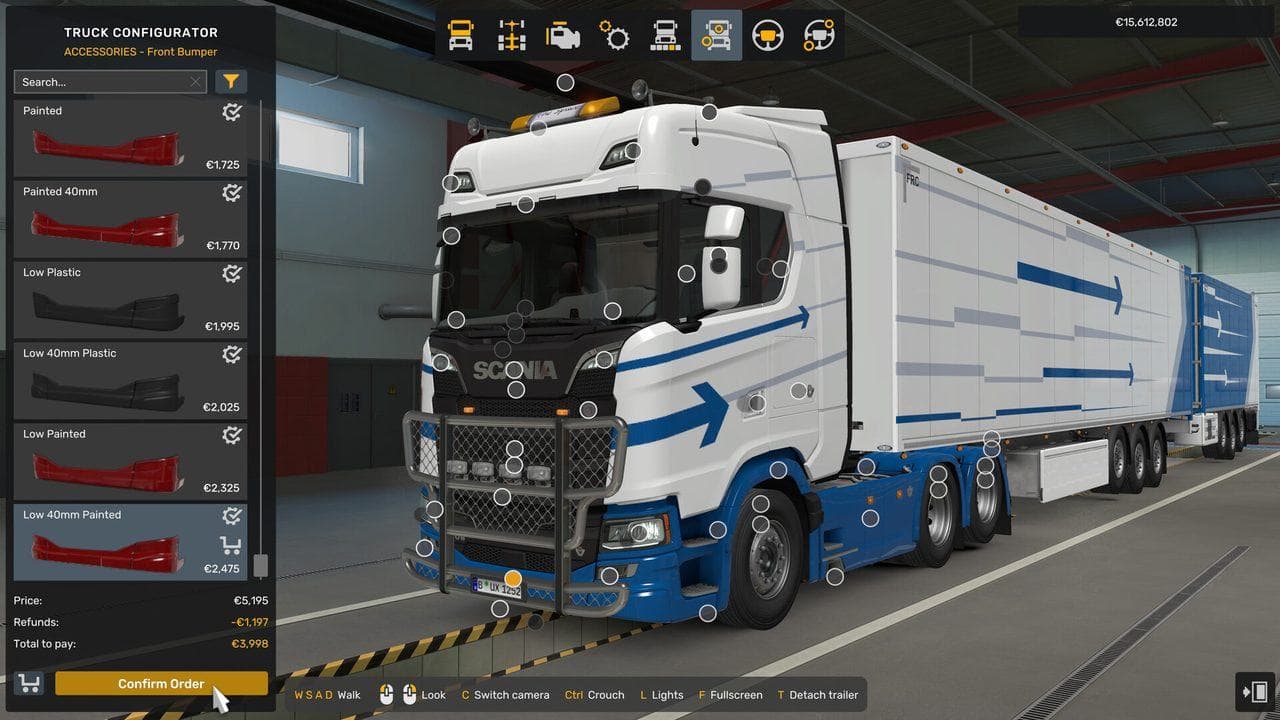
ETS2 mods can add trucks, maps, traffic, sounds, graphics, economy changes, UI tweaks, and quality-of-life features. This ETS2 mods guide is a safe starting point, not a download directory. The goal is to help you choose categories, protect your saves, and avoid risky files.
For deeper safety habits, read the Safe ETS2 Mods Guide. Before using old mods, check your installed ETS2 version and use the ETS2 Update Checklist. For conflicts, follow the ETS2 Mod Load Order Guide. For setup tuning after mods, use Best ETS2 Settings.
Best ETS2 Mod Categories
| Category | Good For | Risk Level |
|---|---|---|
| Graphics and weather | Better lighting, road feel, atmosphere | Medium |
| Sound mods | Engine, cabin, traffic, and ambience changes | Low to medium |
| Truck mods | Extra models, cabins, engines, accessories | Medium |
| Map mods | New regions and road networks | High |
| Traffic mods | More variety or density | Medium |
| Economy mods | Different pay, loans, fuel, fines | Medium |
| UI and GPS mods | Route advisor and interface changes | Medium |
Safe Mod Setup
- Keep one clean vanilla profile.
- Back up your active profile before adding mods.
- Add a small number of mods at a time.
- Check the supported ETS2 version.
- Disable map, traffic, economy, and UI mods before major updates.
- Test a short route before trusting a long delivery.
ETS2Hub's latest version page tracks the current public release context and experimental beta notes. Do not assume a mod supports beta builds unless the author says so.
If you do not already have a backup habit, follow How to Back Up ETS2 Profiles and Saves before changing your mod list.
Steam Workshop Or Manual Mods?
Steam Workshop is usually easier for beginners because subscriptions and updates are handled through Steam. Manual mods can be useful when a trusted author publishes outside Workshop, but you need to manage versions and files yourself. For a safer beginner workflow, use the ETS2 Steam Workshop Mods Guide.
If you are new, start with Workshop and a test profile. Move to manual mods only after you understand what breaks when ETS2 updates.

Load Order Basics
Load order matters most for maps, economy, traffic, UI, and compatibility patches. Simple paint jobs or sounds are usually easier, but they can still conflict if they edit the same assets.
When a mod author provides a load order, follow it exactly. If a mod does not explain compatibility, treat it as experimental until you test it on a backup profile. Use the Mod Manager Priority Guide for a safer step-by-step test order.
FAQ
What are the best ETS2 mods for beginners?
Start with small quality-of-life, sound, or graphics mods from trusted authors. Avoid large map and economy overhauls until you understand profiles, backups, and version compatibility.
Are ETS2 mods safe?
Mods can be safe when they come from trusted sources and match your ETS2 version. They become risky when they use untrusted executable installers, promise unauthorized paid-content access claims, or modify a main career profile without a backup.
Do mods work after ETS2 updates?
Some do, some do not. Check the mod page, comments, and supported version before loading your main profile after a major update.
Read next
Continue through the next task instead of jumping to a random tag page.
SetupSafe ETS2 Mods Guide
A safe ETS2 mods guide covering backups, Steam Workshop, profile separation, update compatibility, TruckersMP version checks, and what downloads to avoid.
SetupHow to Back Up ETS2 Profiles and Saves
Back up ETS2 profiles and saves before updates, mods, TruckersMP, Steam beta branches, or config edits, then restore a clean copy if needed.
SetupETS2 Steam Workshop Mods Guide: Subscribe, Load Order, and Safe Testing
Use ETS2 Steam Workshop mods safely with backups, version checks, small test batches, load order habits, and update troubleshooting.