Setup guide
How to Increase Traffic in ETS2 Safely
Increase ETS2 traffic carefully with settings or traffic mods while protecting FPS, stability, and your profile.
UpdatedJul 4, 2026
Read7 min
LevelBeginner
ByETS2Hub

Quick answer
To increase traffic in ETS2 safely, start with normal gameplay settings and only add traffic mods after backing up your profile. Traffic mods can improve realism, but they also affect FPS, AI behavior, route timing, crashes, and update compatibility. Test one traffic change on a short route before using it in your main career.
More traffic can make ETS2 feel alive, but it also makes the game harder to run and easier to break with mods. Treat traffic density as both a realism setting and a performance risk.
Read Safe ETS2 Mods Guide before installing traffic mods.
Safe Ways to Make Traffic Feel Better
Start with non-risky changes:
- Improve route planning so you spend more time in cities and busy roads.
- Keep graphics settings stable before adding traffic density.
- Test rain, night, and city traffic separately.
- Add one traffic mod only after a backup.
- Drive a short route through a city, motorway, and delivery yard.
If the game stutters in normal traffic, do not add more vehicles yet.
What Traffic Mods Can Change
Traffic mods may affect:
- Vehicle density.
- Spawn behavior.
- AI lane changes.
- City congestion.
- Motorway flow.
- FPS and CPU load.
- Delivery timing.
- Crash risk after updates.
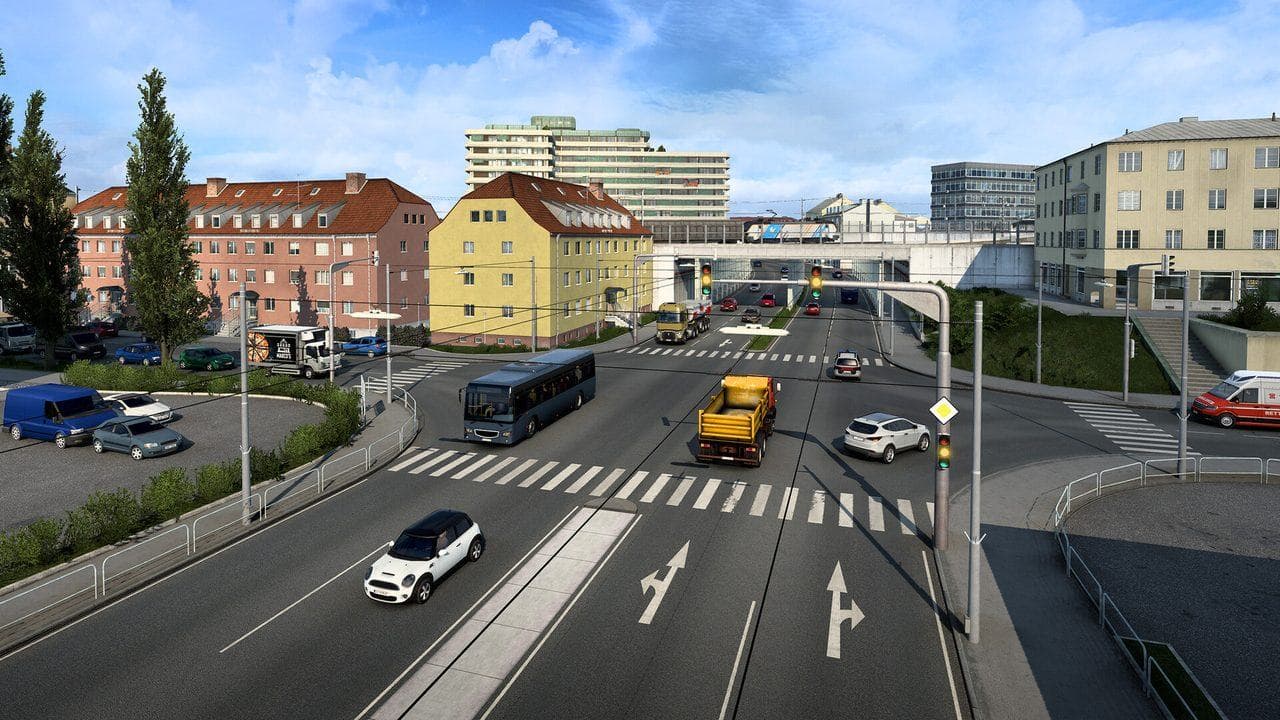
Performance Warning
Traffic density is not only a graphics issue. More vehicles can increase CPU work, stutter, and AI interactions. If you already use high mirror distance, heavy weather, or graphics mods, traffic can push the setup over the edge.
Use ETS2 Graphics Performance Settings and Low-End PC Settings Guide before stacking traffic changes.
Common Mistakes
- Installing several traffic mods together.
- Testing only on an empty motorway.
- Ignoring crashes after major updates.
- Blaming the route when a mod changed AI behavior.
- Using a main career as the first traffic test.
Best Beginner Setup
Use one traffic change, one test profile, one short route, and one clear performance baseline. If the game stays stable, keep it. If FPS drops or AI becomes strange, remove the mod before adding anything else.
Read next
Continue through the next task instead of jumping to a random tag page.
 Setup
SetupSafe ETS2 Mods Guide
A safe ETS2 mods guide covering backups, Steam Workshop, profile separation, update compatibility, TruckersMP version checks, and what downloads to avoid.
 Setup
SetupETS2 Graphics and Performance Settings for Better FPS
Tune ETS2 graphics and performance settings for smoother driving, better FPS, readable mirrors, and fewer frame drops in cities and rain.
SetupETS2 Low-End PC Settings for 30 to 60 FPS
Tune ETS2 for low-end PCs by lowering the settings that affect driving smoothness most: mirrors, scaling, shadows, traffic, and heavy mods.