Economy guide
ETS2 Reset Economy Guide: Refresh Empty Jobs Safely
Refresh an empty or broken ETS2 job market safely without damaging your main profile or confusing mod troubleshooting.
UpdatedJul 4, 2026
Read8 min
LevelIntermediate
ByETS2Hub
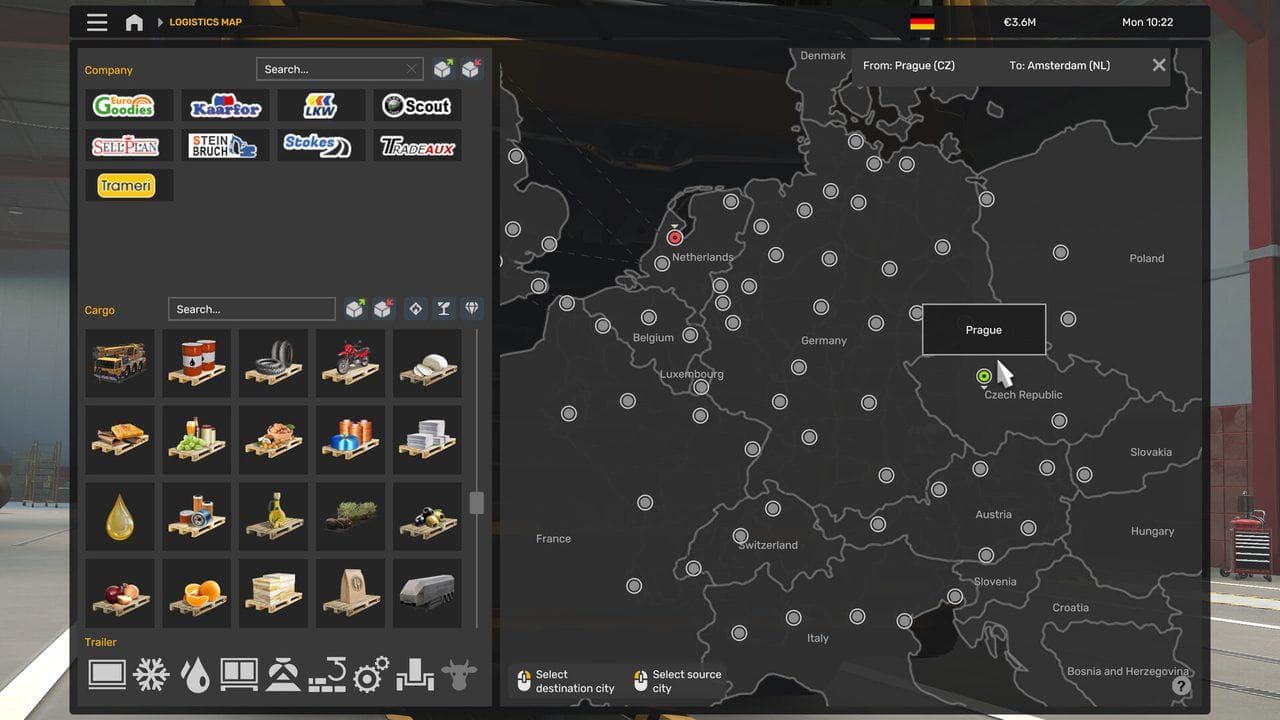
Quick answer
Reset the ETS2 economy only after you have checked filters, rested, quick traveled, removed broken economy mods, and backed up your profile. A reset should refresh job lists, not become a shortcut for money or progress. Test on a spare profile first and undo any config changes after the job market returns.
An ETS2 economy reset is a troubleshooting step for empty job lists, stale freight offers, and profiles that do not refresh jobs after travel or rest. It is not the first thing to try, and it is not a clean money strategy.
If your issue happens only in TruckersMP, read ETS2 TruckersMP Jobs Not Working first. Multiplayer job issues can involve version support, server economy behavior, or profile synchronization, not only the single-player economy.
Check Simple Causes First
Before forcing anything, check:
- Freight Market filters.
- Cargo type restrictions from owned trailers.
- Whether your truck is in a city with useful companies.
- Whether you recently changed map DLC or mods.
- Whether the profile is sleeping, resting, or fast traveling normally.
- Whether a recent update broke a modded economy file.
Many "empty job market" cases are caused by filters, incompatible map mods, or owned-trailer cargo limits.
Safer Refresh Steps
Try these in order:
- Sleep at a rest stop if fatigue is enabled.
- Quick travel or visit a garage in another city.
- Take a short quick job to let time pass.
- Remove recent economy, trailer, cargo, or map mods.
- Restart the game.
- Check the same city again.
If this works, you do not need a forced reset.

When a Forced Reset Makes Sense
A forced reset is reasonable when:
- The market is empty across many cities.
- You removed a broken map or cargo mod.
- Resting and travel did not refresh jobs.
- You have a current profile backup.
- You know how to undo the setting afterward.
Avoid it if you are mid-delivery, testing several mods at once, or unsure which profile folder is active.
Safe Reset Workflow
Use a conservative workflow:
- Back up the full profile folder.
- Close ETS2.
- Back up
config.cfg. - Make one economy-reset change only if you know the exact setting you are using.
- Start ETS2.
- Load the profile.
- Confirm the job market refreshes.
- Close ETS2 again.
- Revert the config change.
- Relaunch and confirm the job market still behaves normally.
Do not leave temporary troubleshooting values enabled forever.
Common Mistakes
| Mistake | Why It Causes Trouble |
|---|---|
| Resetting before checking filters | The market may not be broken |
| Resetting with map mods still active | The broken mod can recreate the issue |
| Forgetting to revert config changes | Future troubleshooting becomes confusing |
| Testing on the main profile only | You cannot compare against a clean baseline |
| Assuming TruckersMP behaves like single-player | Multiplayer job lists can have separate causes |
What To Read Next
If your problem is tied to owned trailers, read ETS2 Cargo Market Guide. If the issue appeared after a mod update, use ETS2 Mods After Update Not Working before changing economy settings again.
Read next
Continue through the next task instead of jumping to a random tag page.
EconomyETS2 Quick Jobs vs Freight Market vs Cargo Market
Understand when to use quick jobs, when to switch to your own truck in the Freight Market, and when owned trailers make Cargo Market jobs worth using.
 Economy
ETS2 Cargo Market Guide for Owned Trailers
Use the ETS2 Cargo Market without buying the wrong owned trailer or locking yourself out of flexible early jobs.
MultiplayerTruckersMP No Jobs or Empty Job Market in ETS2
Fix empty job markets, missing Freight Market jobs, and economy timing issues when using TruckersMP with ETS2.