Setup guide
ETS2 ProMods Beginner Guide: Compatibility, DLC, and Safe Setup
Understand what ProMods changes in ETS2, what to check before installing, and how to protect your profile from version or DLC mistakes.
UpdatedJul 3, 2026
Read9 min
LevelIntermediate
ByETS2Hub
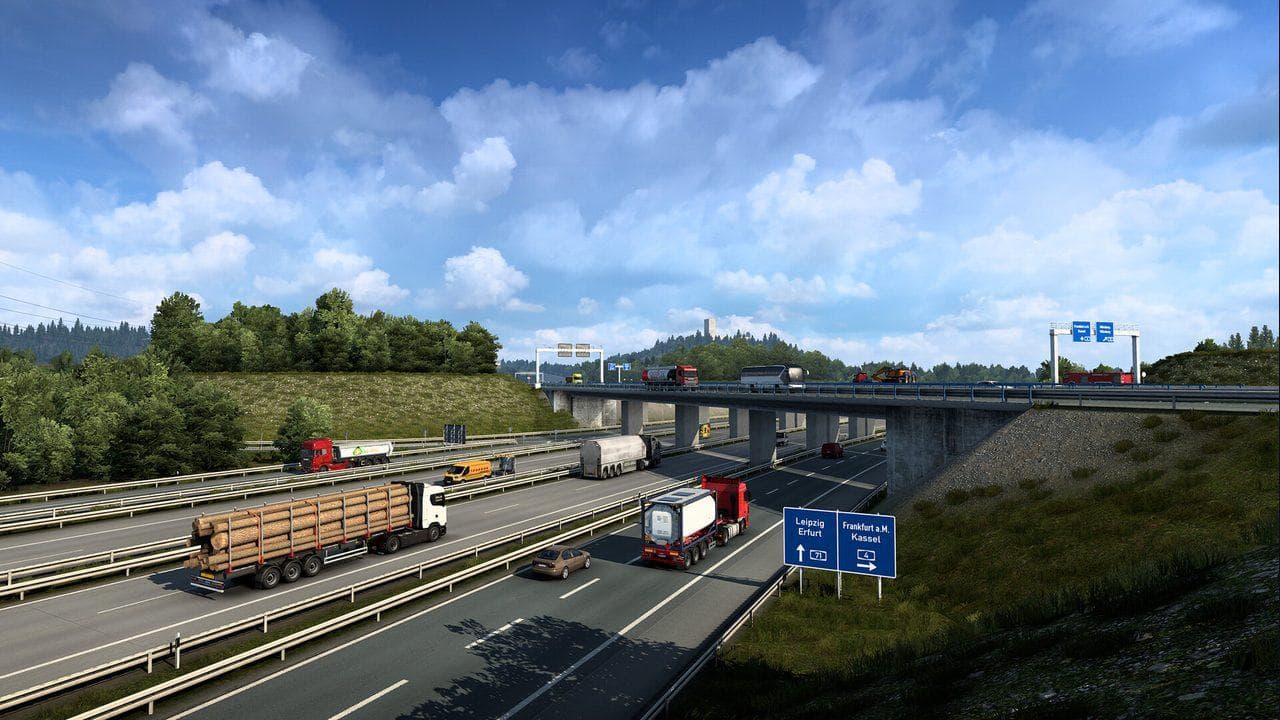
Quick answer
ProMods is a large community map project for ETS2, so beginners should treat it like a separate map profile, not a small cosmetic mod. Before installing, check the official ProMods compatibility page, required DLC, ETS2 version support, and download source. Back up your profile and test ProMods away from your main career.
ProMods is not a tiny visual mod. It is a large community map project that can change routes, cities, roads, ferry connections, and map compatibility expectations. That makes it exciting, but it also means beginners should plan before installing it.
Treat ProMods like a separate map setup. Check official ProMods sources, confirm required DLC, back up your ETS2 profile, and test on a separate profile before using a career you care about.
What ProMods Is
ProMods is a community map expansion project for ETS2. It is popular because it can add or rework roads and regions beyond the base game and official DLC experience.
That does not make it a replacement for official map DLC. In practice, ProMods often depends on the base game version and specific DLC ownership. Those requirements change, so check the official ProMods FAQ, compatibility page, and release notes before every install or update.
Before Installing
Check these first:
- Your ETS2 version.
- The current ProMods version.
- Required map DLC.
- Whether ProMods supports your ETS2 version.
- Whether you are using Steam Workshop, manual mods, or other map mods.
- Whether you have a profile backup.
- Whether you are willing to maintain a separate map profile.
If any answer is unclear, do not install yet.
Safe Beginner Setup
Use this safer path:
- Back up your main ETS2 profile.
- Create a separate profile for ProMods.
- Install only ProMods and required files first.
- Keep other map mods disabled.
- Confirm the game loads to the map.
- Start a short test route.
- Add other compatible mods only after ProMods works alone.
This makes troubleshooting much easier. If the game crashes with ProMods alone, the problem is likely version, DLC, files, or setup. If it crashes only after adding other map mods, focus on compatibility and load order.

Compatibility Rules
ProMods compatibility is volatile. Do not rely on an old video, old forum comment, or old load-order screenshot without checking the current source.
| Check | Why it matters |
|---|---|
| ETS2 version | Map mods can break after game updates |
| Required DLC | Missing DLC can prevent loading |
| Def file | Wrong options can cause setup problems |
| Other map mods | Map combos need specific order and patches |
| TruckersMP support | Multiplayer support has its own rules |
If you also play online, read ETS2 Multiplayer Guide and verify the multiplayer platform's current ProMods support separately.
Load Order
For beginners, keep load order simple:
- Follow the official ProMods instructions for ProMods files.
- Do not mix several map projects on the first attempt.
- Add compatibility patches only when a trusted source says they are needed.
- Keep notes on every change.
- Test after each change.
Map combo load orders can become complex quickly. ETS2Hub's Mod Manager Load Order Guide covers the general habit, but ProMods-specific instructions should come from current ProMods documentation.
Downloads To Avoid
Use official ProMods sources. Avoid:
- Reuploaded archives from unknown sites.
- "All DLC unlocked" claims.
- Extra executable installers from third-party pages.
- Old mod packs that do not name the ETS2 version.
- Comments that promise compatibility without a current source.
The safest mod is not the one that downloads fastest. It is the one you can verify and remove cleanly.
Common ProMods Beginner Mistakes
| Mistake | Better habit |
|---|---|
| Installing on main career first | Use a separate test profile |
| Ignoring required DLC | Check official requirements first |
| Updating ETS2 immediately | Check ProMods compatibility before loading |
| Mixing many map mods | Start with ProMods alone |
| Keeping no backup | Back up before changing maps |
When To Skip ProMods For Now
Skip it if you are still learning basic ETS2 controls, if you do not own the required DLC, or if you dislike troubleshooting after updates. You can still get strong route variety from official map DLC and the base game.
When you are ready, start with Safe ETS2 Mods Guide, then back up your profile before changing the map.
Read next
Continue through the next task instead of jumping to a random tag page.
 Setup
SetupETS2 Mods Guide
A practical ETS2 mods guide covering safe mod categories, Steam Workshop, load order basics, profile backups, update checks, and downloads to avoid.
SetupSafe ETS2 Mods Guide
A safe ETS2 mods guide covering backups, Steam Workshop, profile separation, update compatibility, TruckersMP version checks, and what downloads to avoid.
SetupETS2 Mod Load Order: Mod Manager Priority Guide
Set a safer ETS2 mod load order, understand Mod Manager priority, place patches correctly, and test map, traffic, UI, truck, and economy mods.